Your servers.
One calm workspace.
Everything you need to work with your Linux servers.
Terminals, files, logs, and remote desktops, together in one open source app.
Free and open source · macOS & Linux
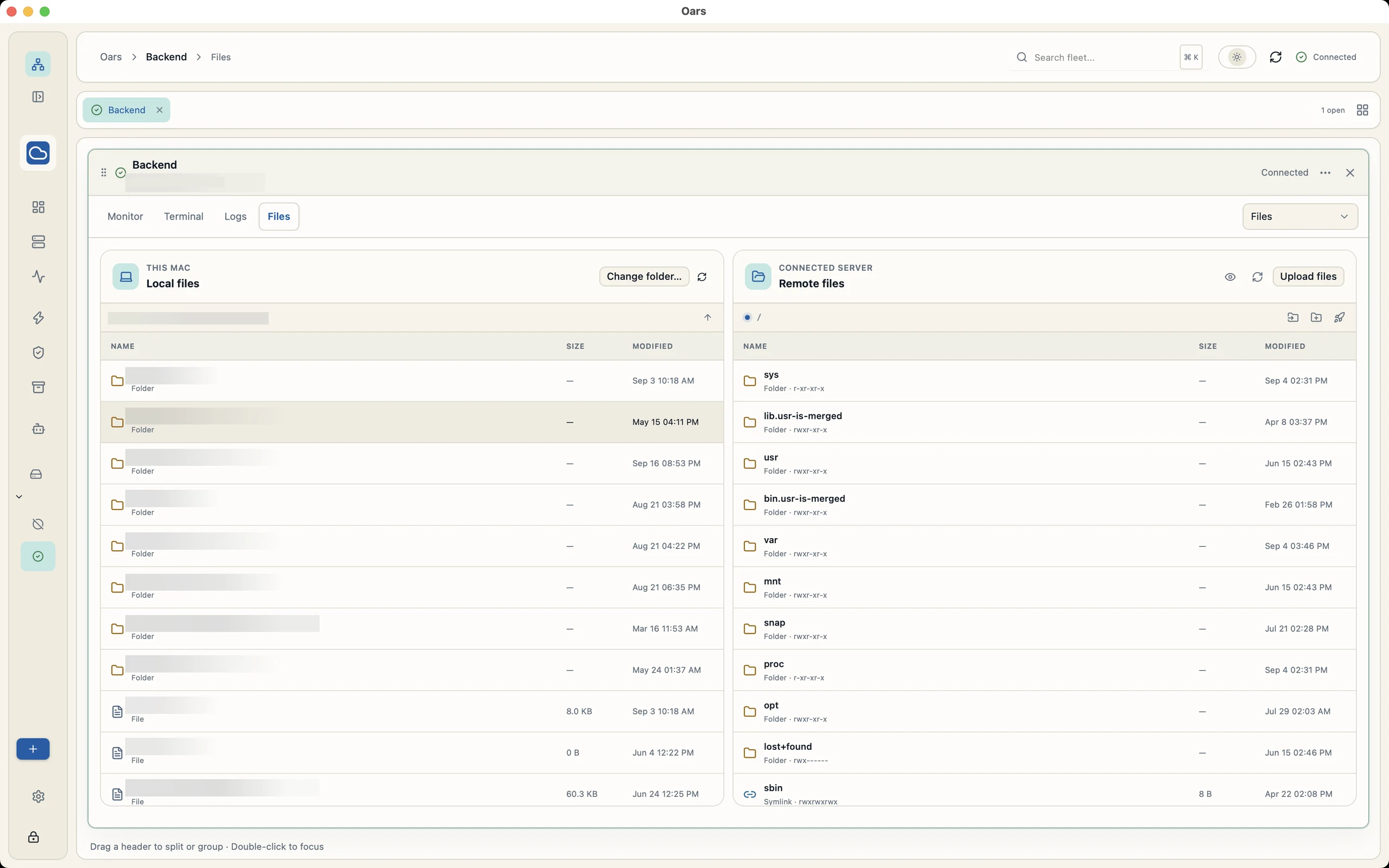
Your files. Both sides of the connection.
Less switching.
More getting things done.
Connect once and keep the whole job in view. Follow a log, move a file, run a command, or check on another server without losing your place.
Connect your way
SSH keys, passwords, agents, and jump hosts. Your existing servers, ready to work.
Keep the tools together
Interactive shells, SFTP, live metrics, logs, scripts, deployments, and backups.
Make room for your fleet
Organize servers into groups and arrange sessions in tabs or split panes.
15 connections.
About 300 MiB.
From an empty workspace to live monitoring, here’s how Oars’s memory use changed in our MacBook Air test.
Download the chart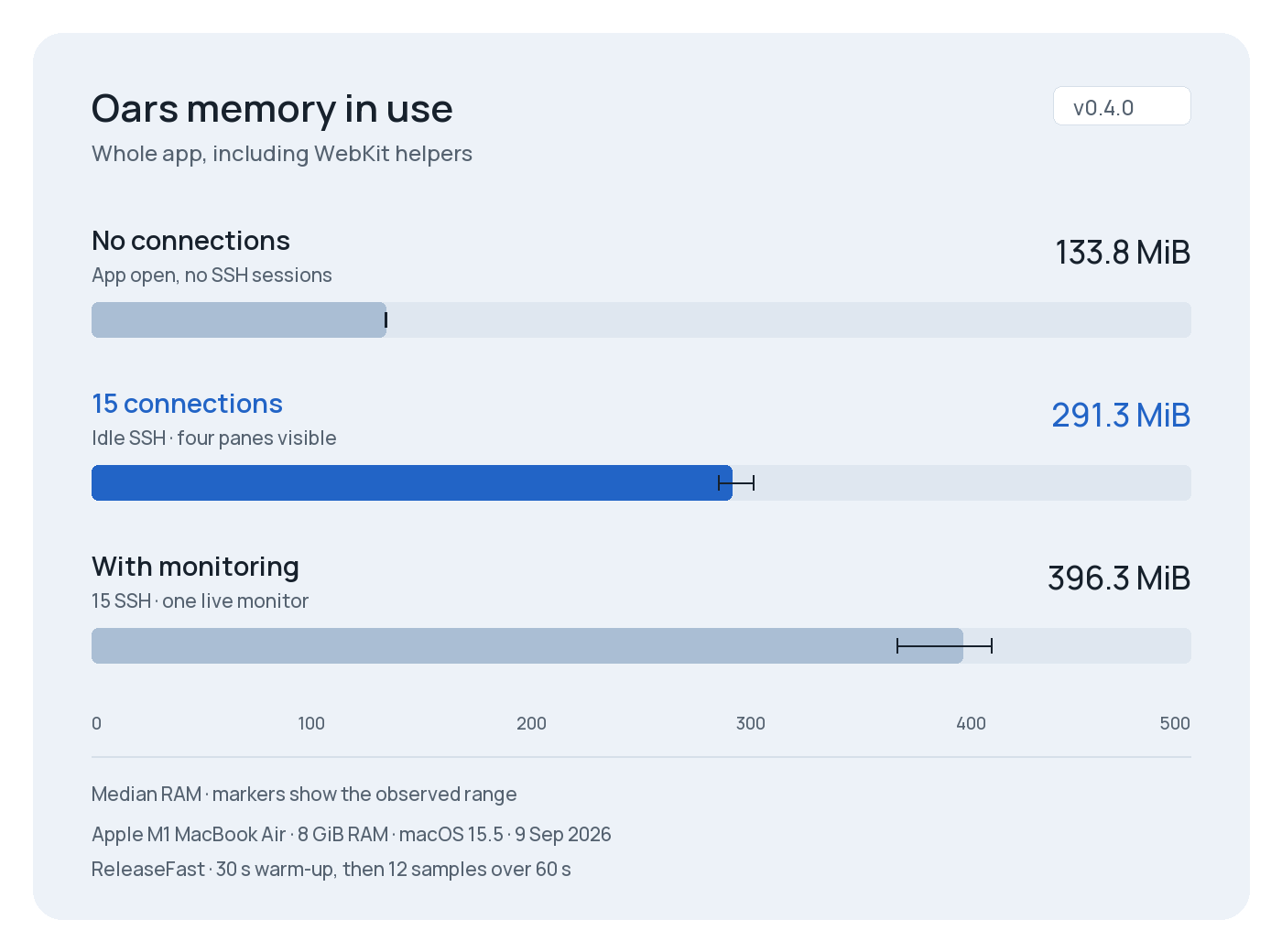
Memory in use
Whole app, including WebKit helpers
- No connectionsApp open, no SSH sessions133.8 MiB median, observed range 133.6 to 133.8 MiB.
- 15 connectionsIdle SSH · four panes visible291.3 MiB median, observed range 285.0 to 301.0 MiB.
- With monitoring15 SSH · one live monitor396.3 MiB median, observed range 366.6 to 409.5 MiB.
Median RAM · markers show the observed range
Test details
Apple M1 MacBook Air · 8 GiB RAM · macOS 15.5
ReleaseFast · 9 Sep 2026
30 s warm-up, then 12 samples over 60 s.
Go from “what broke?”
to the useful details.
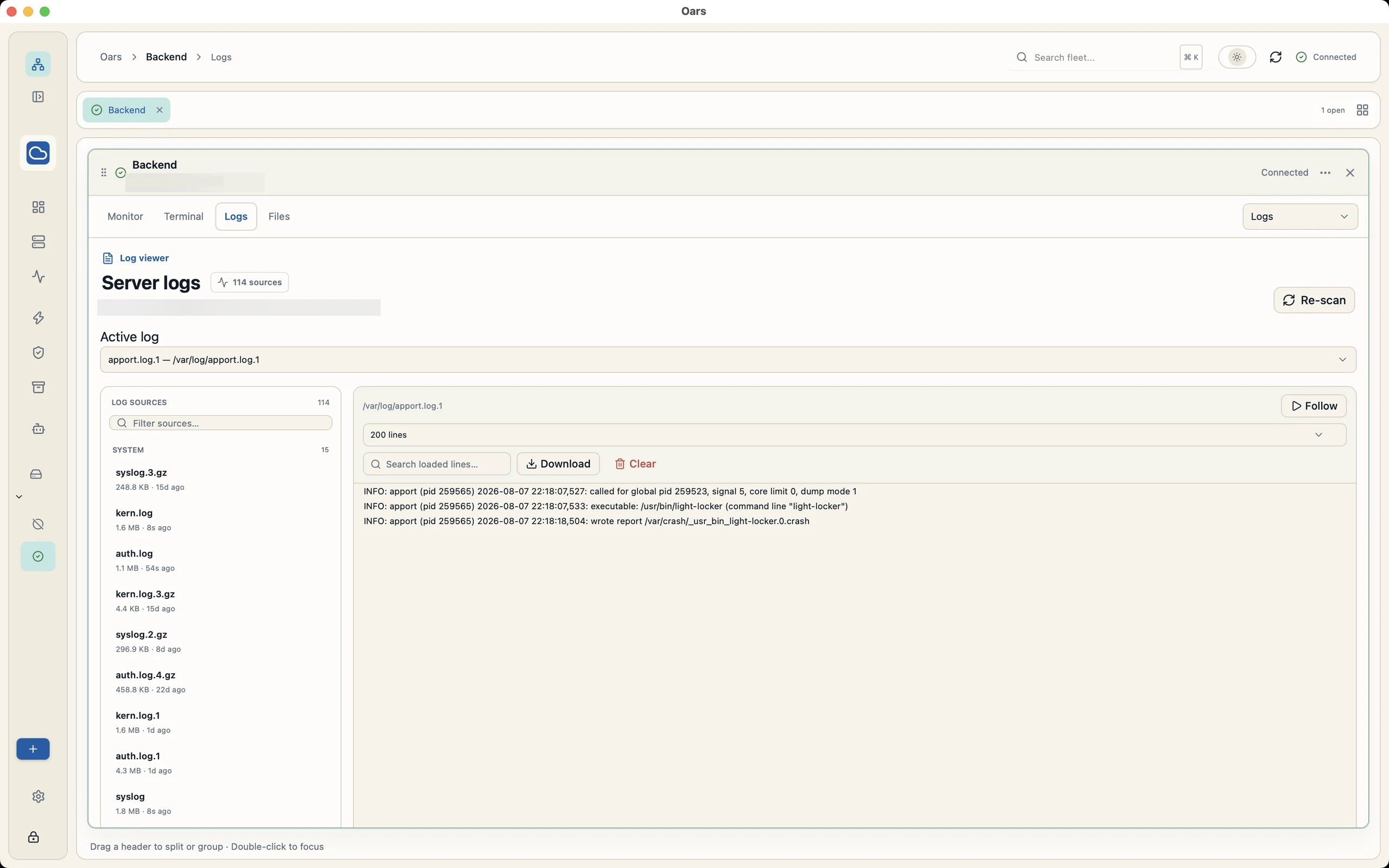
Check CPU, memory, disks, and processes. Find the right log, search its output, and follow new lines as they arrive.
- Agentless server monitoring
- Searchable logs and local command history
- Saved scripts for repeatable operations
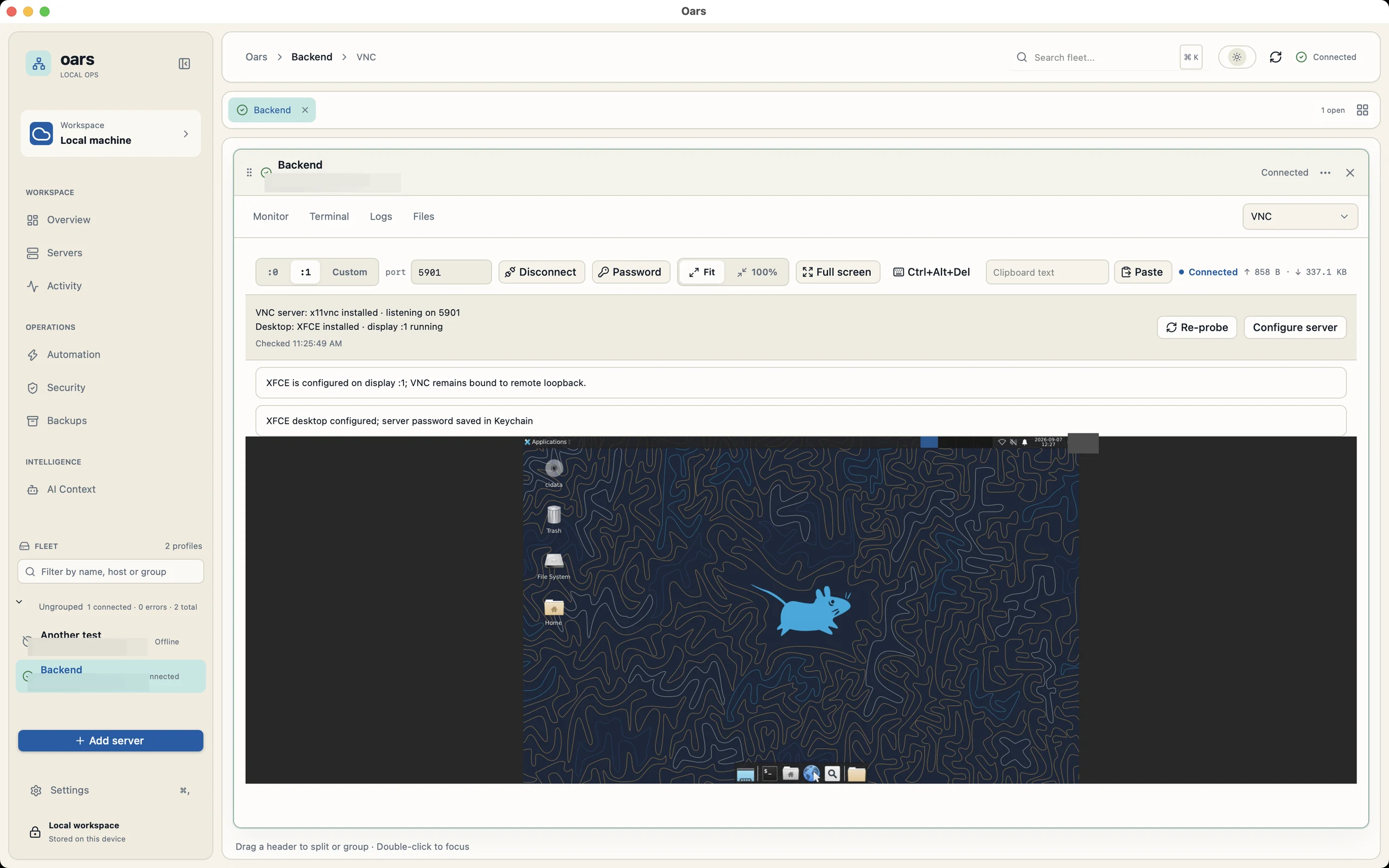
A whole desktop.
Still one connection.
Open a remote Linux desktop through an SSH tunnel. Fit it to your window, share clipboard text, or go full screen when you need more room.
- VNC carried through your SSH connection
- Window scaling and full-screen controls
- Desktop setup and start controls
In pictures
Take a look around before you connect your first server.
What’s next for Oars.
Upcoming features and ideas we’re exploring.
Not available yet. No release dates set.
Coming next
2Our next priorities.
Oars for Windows
Your Linux servers, in one workspace on your Windows PC.
macOS & Linux are available today.Desktop notifications
Know when a server or job needs your attention while Oars is connected.
6 types of alerts
- Crashes & restarts
A monitored process exits unexpectedly or keeps restarting.
- Resource pressure
CPU or memory stays high, or disk space and inodes run low.
- Connection changes
A server stops responding, disconnects, or comes back online.
- Jobs & transfers
A deployment, script, backup, or file transfer fails or finishes.
- Certificate expiry
A server’s TLS certificate is getting close to its expiry date.
- Security changes
A host key or server access changes, or repeated login failures are detected.
- Crashes & restarts
Planned
4More control over your servers.
SSH tunnels
Saved local, remote, and SOCKS tunnels for databases and private services.
Security reports
Hardening checks, suggested fixes, and exportable reports.
Process management
Inspect, restart, reload, and stop PM2 processes and system services.
AI web search & MCP
Current documentation and external tools in reviewed AI workflows.
Exploring
4Longer-term possibilities.
Team workspaces
Encrypted sync, shared vaults, terminal collaboration, SSO, and two-factor controls.
More connections
Local shells, serial connections, Telnet, and X11 forwarding.
Plugins
Add tools and adapt Oars to the way you work.
Mobile & browser
Reach your servers from a phone, tablet, or browser.
Help shape what comes next.
Suggest a feature on GitHubYour infrastructure.
Your way of working.
Oars connects directly to your servers over SSH. Connection credentials use your OS credential store, and profiles and history live on your device.
AI assistance is optional. Choose your provider, review the context you share, and approve proposed commands before they run.
Built in the open.
Better with you.
Found Oars useful? Give it a star, report a bug, or help build what comes next.
Star Oars on GitHubSponsor development

Is Oars free?
Yes. Oars is open source under the MIT license. You can use it, inspect the code, and contribute. Sponsorship is optional.
Do I need an account to download it?
No GitHub account is needed to download a public release. The download buttons link directly to the release files. GitHub Actions artifacts are separate and require a GitHub account.
Which operating systems are supported?
Oars runs on macOS and Linux and manages Linux servers over SSH. The Linux download is for x86_64 and requires GTK4 and WebKitGTK 6.0. Windows support is planned. See the roadmap for what’s next.
Do I need to install an agent on my servers?
Terminal access, files, logs, and monitoring use SSH without a separate Oars agent. Some features need remote tools, such as rclone for backups and a VNC server with a desktop environment for remote desktop access.
Why does macOS show a security prompt?
Oars is currently unsigned and not notarized. If you trust the download, follow Apple’s instructions for opening an unidentified app.

Bring your servers together.
A little less juggling. A lot more room to work.
Release notes & checksums